Dirt Town System Requirements and Fixes
Dirt Town's dirt physics need a strong CPU, a strong GPU and high memory bandwidth, so its requirements are higher than its graphics suggest. Here are the exact specs from Steam and fixes for the problems players hit most.
Last checked November 26, 2026 against the Steam store and the developer's forum posts.
Minimum for Dirt Town on Windows: Windows 10 64-bit, a 6-core 3.5 GHz CPU with AVX2, 16 GB RAM and an RTX 3060 or RX 6600 with DirectX 12. On Mac you need macOS 14 and an Apple M2 Pro or better. Intel Macs are not supported. The download is only 500 MB.
Dirt Town PC requirements (Windows)
| Minimum | Recommended | |
|---|---|---|
| OS | Windows 10 64-bit, version 1809 or later | Windows 10 64-bit, version 1809 or later |
| CPU | 6-core 64-bit CPU with AVX2, 3.5 GHz or faster | 8-core 64-bit CPU with AVX2, 4 GHz or faster |
| Memory | 16 GB RAM | 16 GB RAM |
| Graphics | DirectX 12 GPU with Shader Model 6.2: NVIDIA RTX 3060, AMD RX 6600 or newer | NVIDIA RTX 4070, AMD RX 7800 XT or newer |
| DirectX | Version 12 | Version 12 |
| Storage | 500 MB | 500 MB |
Steam adds: "Gamepad optional. Online play needs an internet connection. Early Access build: performance is still being optimised." The demo has the same requirements.
Dirt Town Mac requirements
| Minimum | Recommended | |
|---|---|---|
| OS | macOS 14 Sonoma or later | macOS 14 Sonoma or later |
| Chip | Apple M2 Pro or later (Pro, Max or Ultra) | Apple M4 Pro or later |
| Memory | 16 GB | 16 GB |
| Storage | 500 MB | 500 MB |
Steam states that Dirt Town is not compatible with Intel-based Macs. Some fan pages say any Apple silicon Mac works. The store says otherwise, so treat base M1 and M2 chips as below minimum.
Why are the requirements so high?
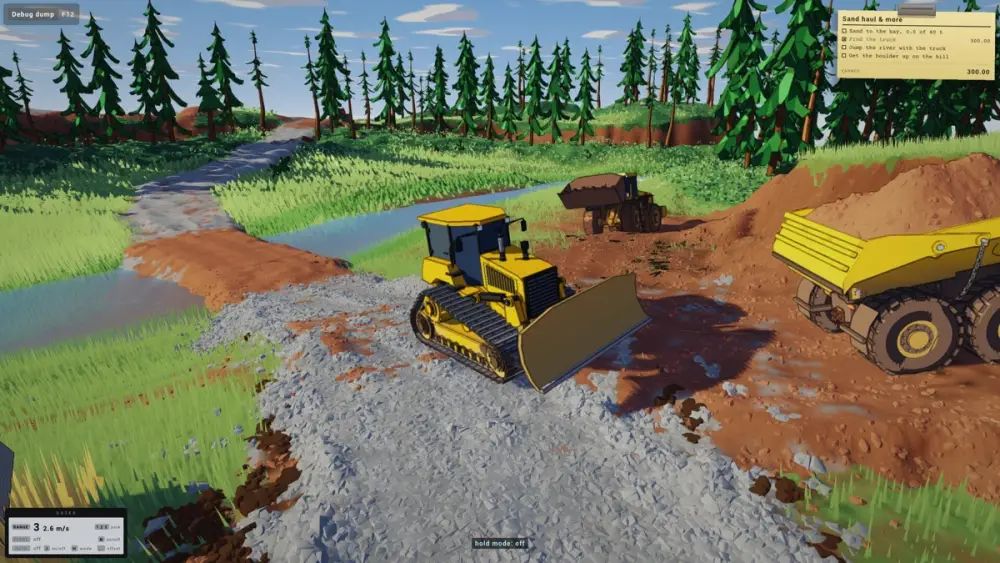
The developer answered this on the Steam forum: "I know the graphics dont look like much, but the physics need both strong CPU and GPU and high memory bandwidth." Every scoop of dirt is simulated, so pushing large amounts of material is the heaviest moment. Players report frame drops exactly then.
Fix: "An application control policy has blocked this file" (error 0x11C7)
This Windows 11 error comes from Smart App Control blocking the game, because the game files are not code-signed. The developer's pinned fix:
- Open Windows Security.
- Go to App & browser control → Smart App Control settings.
- Set it to Off, then start Dirt Town again.
The developer notes that turning Smart App Control off does not turn off Defender or SmartScreen. The block can come back after an update.
Fix: "Dirt Town cannot run on this computer's processor" (AVX2)
Dirt Town needs a CPU with AVX2. The error players quote names Intel Core 4th generation (2013) or newer, or AMD Ryzen. Older chips such as the Intel i7-2600K or the AMD FX series can't start the game. Players have asked for a build without AVX2, but the developers have not announced one. To check your CPU, look up its model on the manufacturer's spec page and look for "AVX2" in the instruction set list.
Dirt Town crashes on launch or freezes
- Send your log. The developer asked players whose game won't start to post their
dirttown.logfile on the official Discord so he can look at it. - Check your GPU. Crash reports from integrated graphics, such as Intel Iris Xe, are below the minimum spec.
- Whole PC freezes. A few players report full system freezes. There is no confirmed fix yet. One player said setting the game to Efficiency mode in Task Manager helped. That is a single report, not an official fix.
Dirt Town on Steam Deck and Linux
- Steam Deck: Valve rates it "Unknown" (not tested yet). The developer said performance "will not get better, sorry. The physics are too demanding for the deck." He added that a future, newer Deck would be the right generation.
- Crash on launch on Deck or Linux: the developer suggested switching to Proton Experimental (Properties → Compatibility). Players confirmed it fixed the crash.
- Other player workarounds: GE-Proton versions, and the launch option
PROTON_USE_WINED3D=1 PROTON_NO_D3D11=1 %command%. These are untested by us and by the developers.
Performance tips
There is no full list of Dirt Town graphics settings yet. Players mention a render scale option (for example 75%) and a physics setting. Lowering the render scale is the safest first step on a GPU close to the minimum. We will add a settings guide after Early Access launches on December 4.
Dirt Town PC FAQ
Can I run Dirt Town on an M1 or base M2 Mac?
Steam lists an Apple M2 Pro (or a Pro, Max or Ultra chip) as the minimum, with 16 GB of memory. Base M1 and M2 chips are below that minimum.
Does Dirt Town run on a laptop with integrated graphics?
Integrated graphics such as Intel Iris Xe are below the minimum RTX 3060 / RX 6600. Players with them report crashes.
Is there a Linux version of Dirt Town?
No native Linux build is listed. Players run it through Proton, and the developer recommended Proton Experimental for crashes on launch.
Does Dirt Town work on GeForce NOW?
Players have asked, but there is no confirmation from the developers or NVIDIA yet.
Sources: Steam store system requirements, the developer's pinned 0x11C7 post, his Steam Deck reply and other Steam forum threads. Player reports are marked as such.